
Mutate and variations
Many versions of a sound, so nothing repeats exactly.
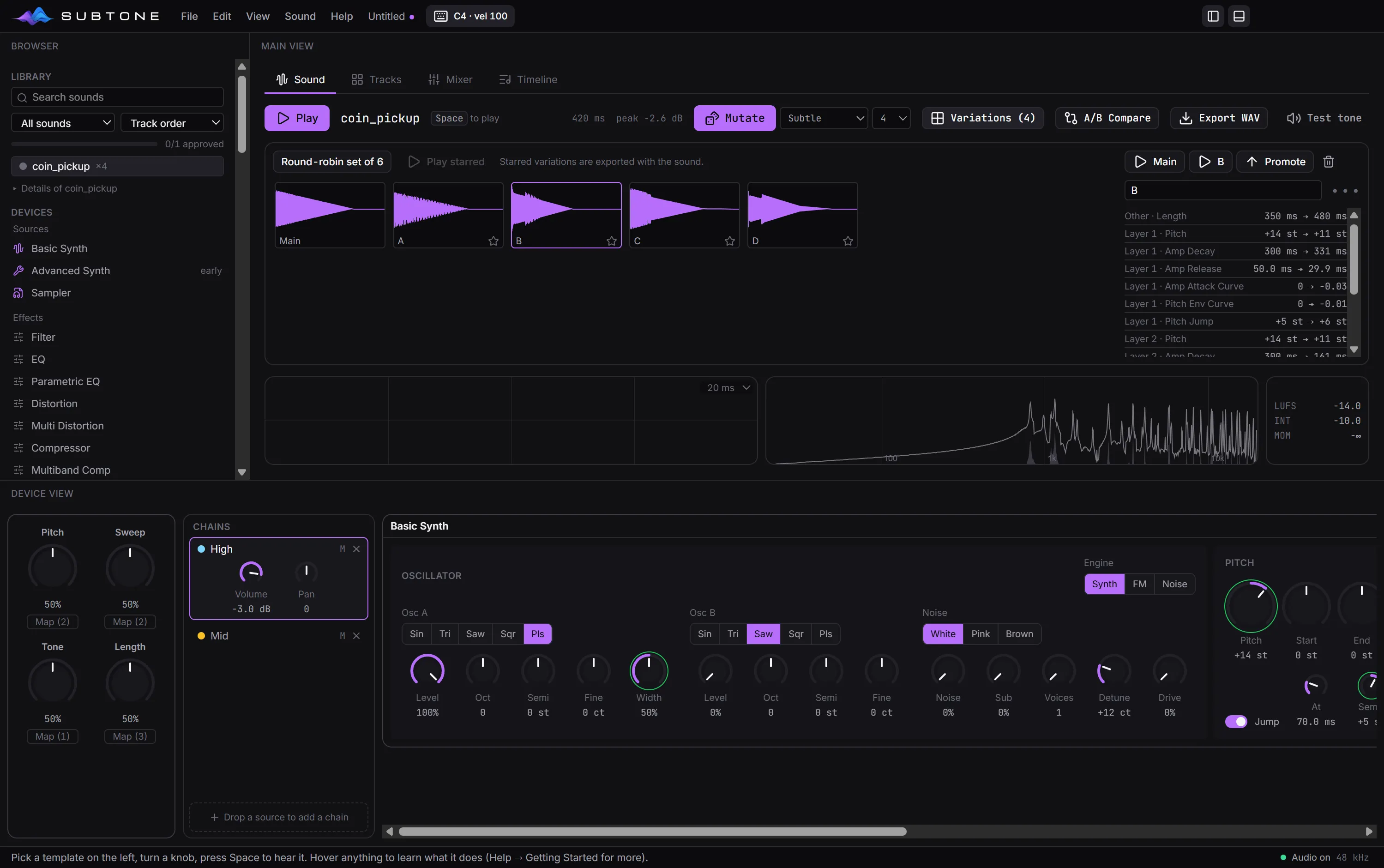
Press Mutate or Ctrl+M. You get four variations (choose 1 to 16, or Alt-click for eight). Your sound itself does not change.
Modes
- Round-robin: the same sound, never twice exactly alike. For footsteps and hits.
- Subtle: a bit different.
- Explore: a new direction with the same character.
- Wild: happy accidents.
Variations are matched in loudness. Held, melodic sounds keep their pitch.
Choosing
| Key | Does |
|---|---|
| Space | Play the selected variation |
| A | Play the main sound |
| S | Star it |
| Enter | Make it the sound; the old one takes its place |
| 1 2 3 | Rate it |
| F2 | Rename it |
The panel on the right lists what changed.
Into the game
Starred variations are exported with the sound. Round-robin set makes a starred set in one click.
Keeping things out
Settings that a macro owns are moved through the macro. For a VST3 plugin, tick M beside the parameters Mutate may change.